A jewellery 3D printer turns a CAD design into a precise pattern that goes straight into lost-wax casting. Choosing the right one decides how much you can produce, how much finishing your team does by hand and how reliable your casting results are. This guide walks through the questions every jeweller in India should answer before buying.
1. Wax or resin: what will you print?
This is the most important decision, because the two technologies serve different jobs.
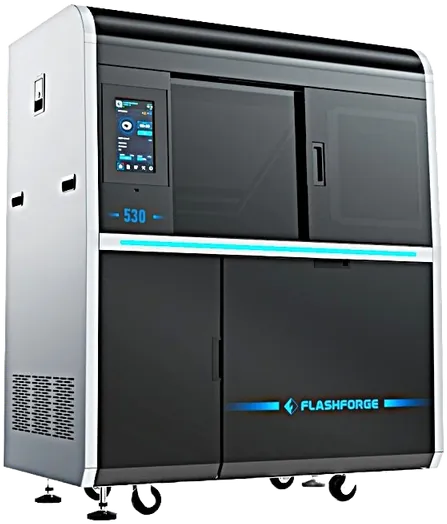
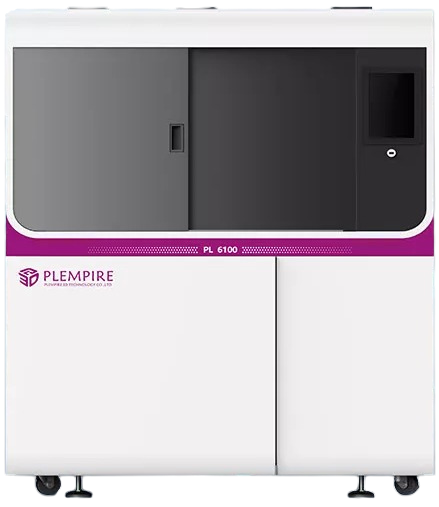
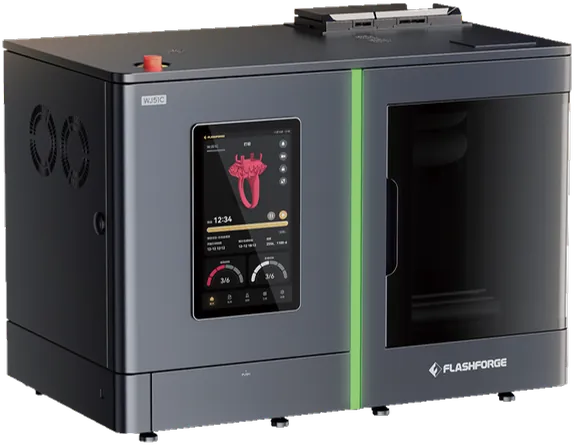
- Wax 3D printers (MultiJet Printing, MJP) print in 100% castable wax with a dissolvable support wax. Patterns burn out cleanly, so they are the first choice for production casting of rings, pendants, bangles and filigree. Examples: the Flashforge WJ51C, WaxJet 510, WaxJet 530, ProJet MJP 2500W and Plempire PL6100.
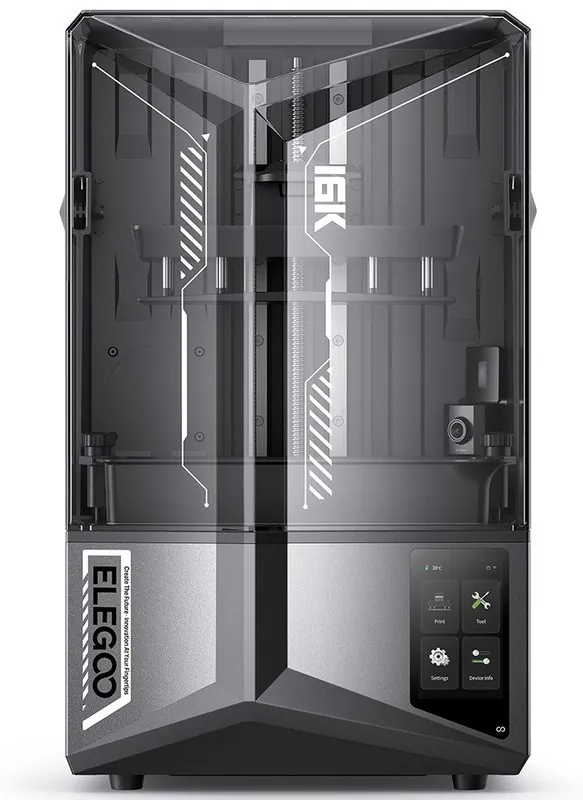
- Resin 3D printers (LCD/MSLA or DLP) cure liquid resin with light. They cost less to buy and are ideal for master models, samples, customer approvals and rubber-mould masters. With castable resin they can also be cast, though burnout needs more care than wax. Examples: the ELEGOO Mars 4 DLP and Saturn 4 Ultra 16K.
Many workshops use both: a resin printer for design approval and a wax printer for production.
2. Build volume and output
Build volume decides how many pieces fit on one platform, and so how many you can cast per day. Compare the platform size against the number of pieces you need per batch:
| Wax 3D printer | Build volume | Best for |
|---|---|---|
| Flashforge WJ51C | 235 × 138 × 100 mm | Compact footprint, small to mid-size workshops (about 3 kg wax per month) |
| Plempire PL6100 | 290 × 207 × 100 mm | Mid-volume production |
| Flashforge WaxJet 510 | 289 × 289 × 100 mm | Large flat platform for many small pieces |
| Flashforge WaxJet 530 | 289 × 208 × 150 mm | High output with three printheads and taller parts |
3. Resolution and accuracy
Fine filigree, micro pavé and engraved text need high resolution. The wax printers above print at 2900 × 2900 × 1700 DPI with 15 µm layers and a dimensional accuracy of about ±0.04 mm per 20 mm. For resin printers, look at the XY pixel size (for example 14 × 19 µm on the 16K Saturn 4 Ultra) and the layer thickness range.
4. Surface finish and post-processing
Every hour spent smoothing patterns by hand adds cost. Wax printers with dissolvable support give clean surfaces with little manual work; the brochure figure for the WJ51C is roughly 30% less labour and post-processing. For any remaining layer lines on wax, a finishing liquid such as LINERASE™ gives a smooth surface before casting.
5. Running costs and materials
Ask about material utilisation, consumables and power use, not just the machine price. The WJ51C, for example, uses small wax blocks loaded on demand with about 55% or more part-wax utilisation. For resin printers, budget for resin, FEP or release film, IPA for washing and a UV curing box.
6. Software, files and support in India
Check that the printer accepts your CAD output (STL and SLC are standard) and that you have local help with installation, training and service. AS Technology supports customers from its Mumbai head office and branches in Delhi, Bengaluru, Hyderabad, Ahmedabad, Surat, Jaipur and Rajkot.
Quick checklist
- Production casting → wax 3D printer; models and samples → resin 3D printer.
- Match build volume to your daily batch size.
- Check resolution, layer thickness and accuracy against your finest designs.
- Compare total running cost: material use, consumables, labour and power.
- Confirm installation, training and service support near you.
Still unsure? Compare all jewellery 3D printers, read why jewellers are moving to 3D printing, or call +91 7021118534 for advice.